What plain coding chat misses
When things fail or loop, you can’t clearly see what happened, what files changed, or where to continue.
 VespeR.run
GitHub
VespeR.run
GitHub
CONTROL PLANE FOR CLAUDE AND CODEX
VespeR turns opaque coding chats into visible workflows. Watch each step, file touch, and tool action in real time. Run Claude or Codex in the browser or in the native macOS app, then resume later with smart context instead of repeating work.
When things fail or loop, you can’t clearly see what happened, what files changed, or where to continue.
A visual run map, timeline, and activity feed so humans can inspect, control, and resume coding workflows with confidence.
Start multiple sessions, rejoin any running one, choose Claude or Codex per session, stop a response without killing the session, and continue safely.
Run specialist agents and patterns like Quick Build, Build+Review Loop, Release Readiness Panel, and Debate.
See a live map of what happened: sequence of actions, tools used, files touched, and where failures started.
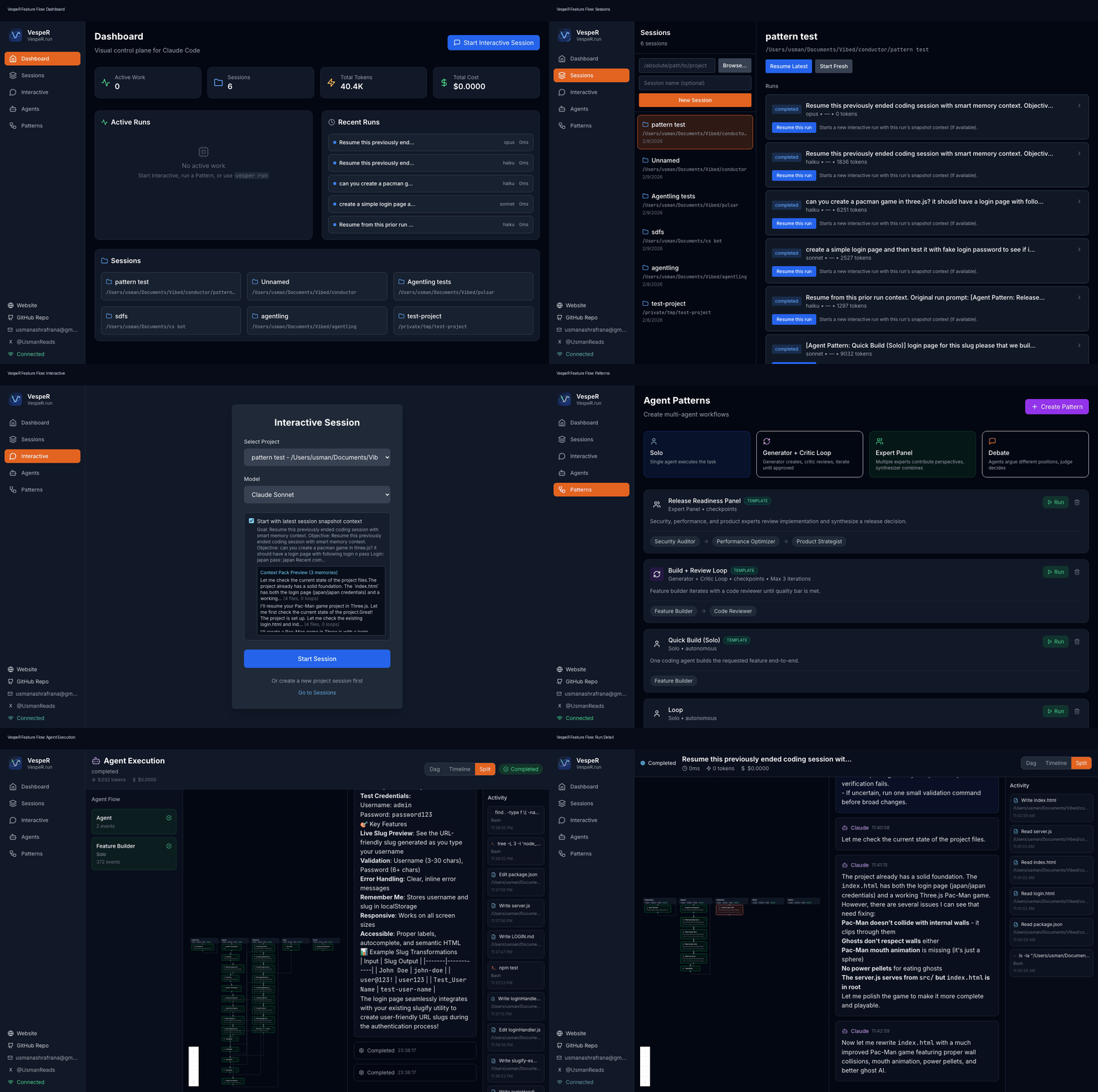
Walkthrough: Dashboard -> Sessions -> Interactive -> Agents -> Patterns -> visual run map + timeline.
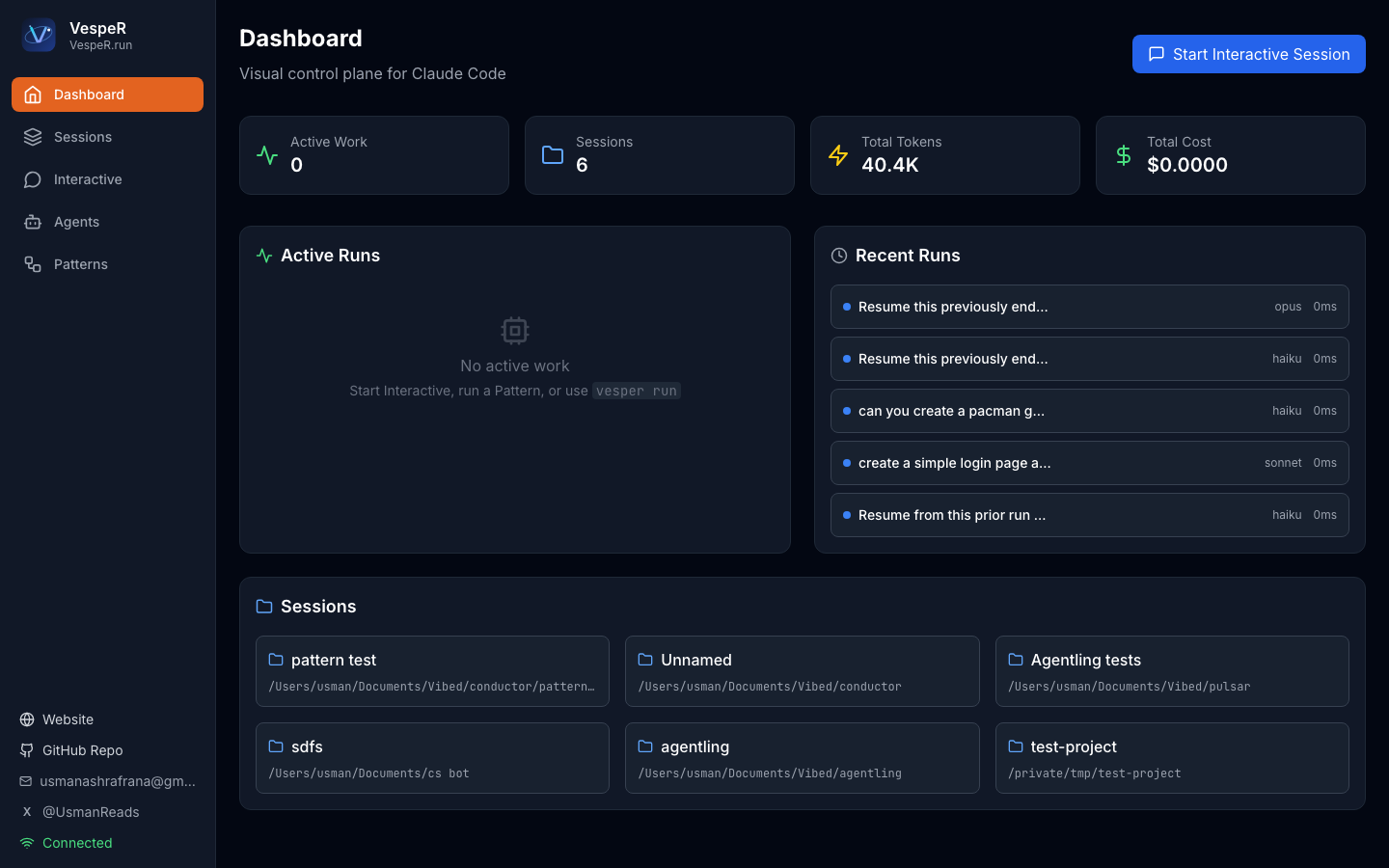
Track active work across interactive sessions, patterns, and run history from one screen.
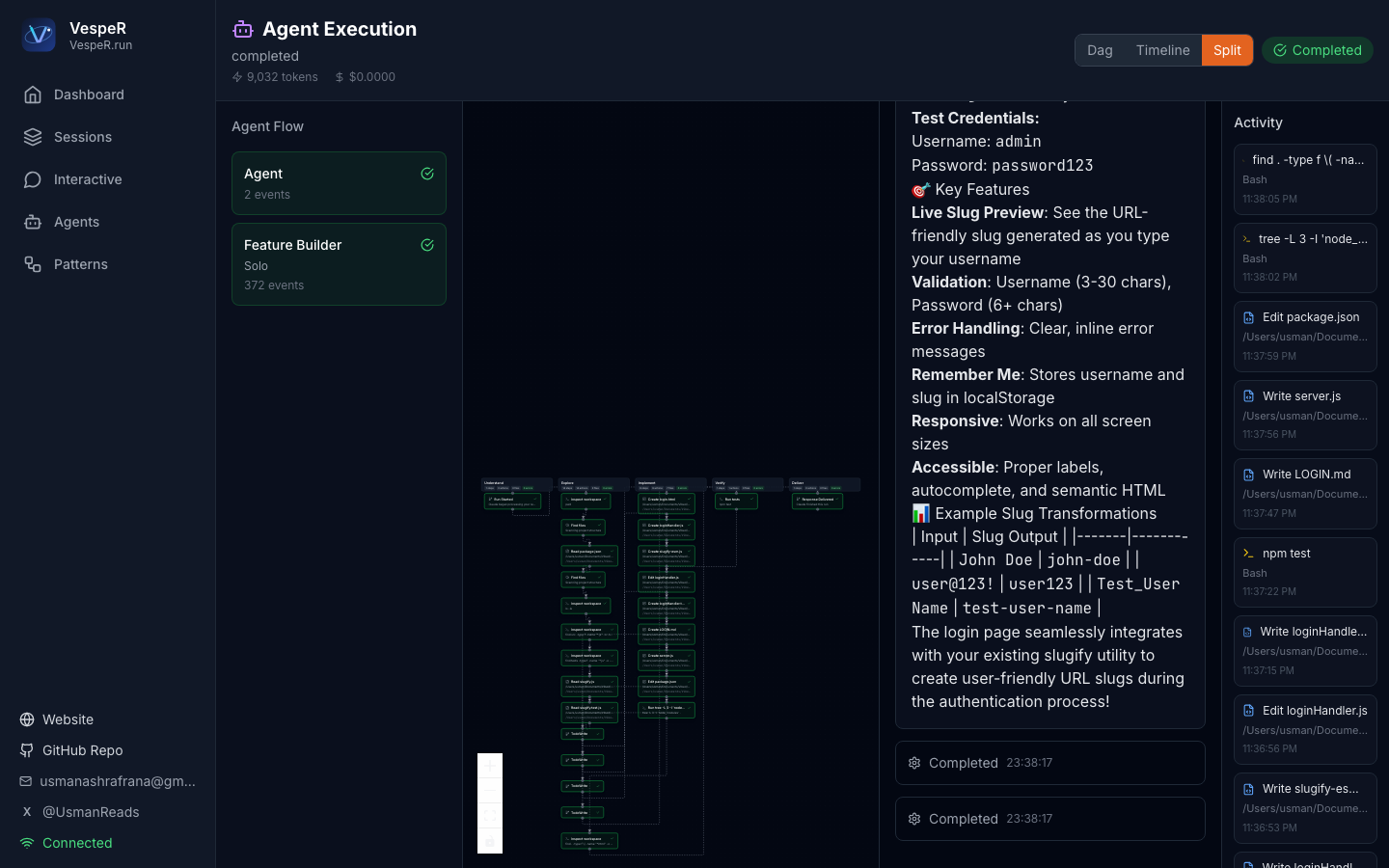
See exactly what happened in each run step, then fix faster with timeline + activity context.
Implement and code-review in the same run with explicit generator/critic roles and approval checkpoints.
[Pattern: Build + Review Loop]
Add slugify utility with tests and run npm test.Run security, performance, and product analysis together and produce one release decision with blockers.
[Pattern: Release Readiness Panel]
Assess v0.1 release readiness with go/no-go and blockers.Resume from ranked memory context (objective, touched files, validations, open loops), not raw transcript dumps.
When a run fails or loops, inspect step-by-step trace and recover without restarting from zero.
Download the macOS app or run VespeR locally from source.
macOS app
Open the DMG, drag VespeR.app to Applications, then launch it.

If macOS blocks first launch:
Right click VespeR.app -> Open
Source install:
pip install -e .
npm -C frontend install
npm -C frontend run build
vesper ui --port 8420 --no-browser
Open http://127.0.0.1:8420 and run one of these immediately:
[Pattern: Build + Review Loop]
Add src/utils/slugify.js with tests and run npm test.

[Pattern: Release Readiness Panel]
Assess this repo for alpha release go/no-go.
Download DMG Latest Release Repository README Issues Website